Page directory — where every page is edited
https://pirt.demo.weebpal.com/manage/content/pages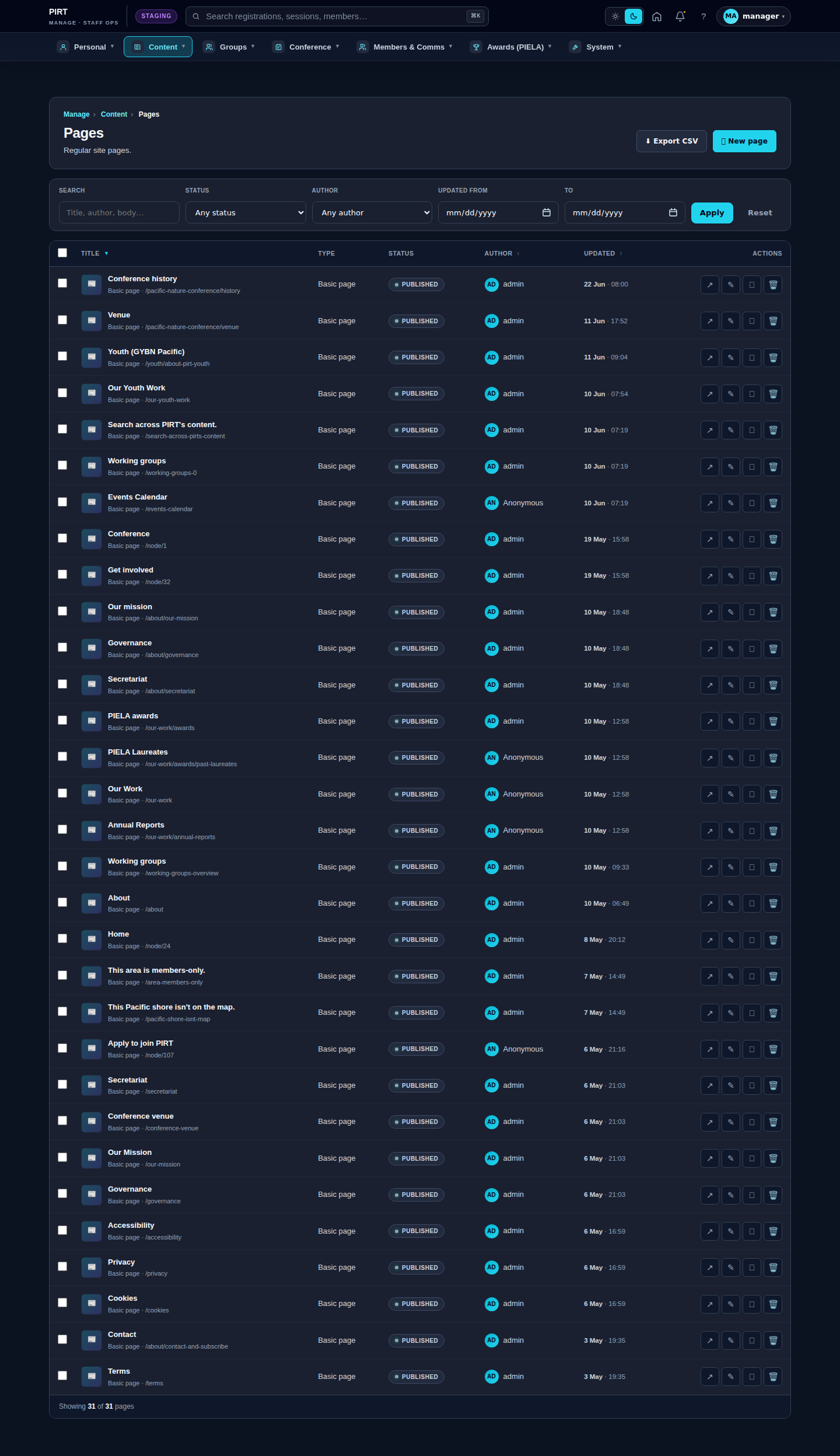
https://pirt.demo.weebpal.com/manage/content/pages.Where page content actually lives
A "page" on the PIRT site can be edited in one of three places, depending on how it was built. This chapter is the map: find the page you want to change, and it tells you where to go.
- Standalone pages — free-form pages you edit as Page records in Manage → Content → Pages (
https://pirt.demo.weebpal.com/manage/content/pages). - Built-in page copy — pages whose text is fixed in a dedicated form (error pages, the Our-Work landing, PIELA categories…). These live under Part 3 — Site copy.
- Listing pages — pages that automatically list other content (News, Events, Funding…). You don't edit the page itself; you edit the items, and the list rebuilds. Each has its own chapter.
1. Standalone pages — edit at https://pirt.demo.weebpal.com/manage/content/pages
These render from a Page record. Open Manage → Content → Pages, find the title, and edit the body. Saving creates a revision you can roll back.
| Public page | URL |
|---|---|
| About — The Roundtable | https://pirt.demo.weebpal.com/about |
| Our mission | https://pirt.demo.weebpal.com/about/our-mission |
| Governance | https://pirt.demo.weebpal.com/about/governance |
| Secretariat | https://pirt.demo.weebpal.com/about/secretariat |
| Our Work (hub) | https://pirt.demo.weebpal.com/our-work (landing band copy is in §2) |
| Annual Reports | https://pirt.demo.weebpal.com/our-work/annual-reports |
| Youth (GYBN Pacific) | https://pirt.demo.weebpal.com/youth/about-pirt-youth |
| Conference history | https://pirt.demo.weebpal.com/pacific-nature-conference/history (part of the Conference — see Part 4) |
| Venue & Travel | https://pirt.demo.weebpal.com/pacific-nature-conference/venue (hotels/airlines are in Part 4 → Travel) |
Heads-up — duplicate/legacy pages. The Pages list also contains older copies that are not linked from the menus and should be tidied up: a second Governance (https://pirt.demo.weebpal.com/governance), Secretariat (https://pirt.demo.weebpal.com/secretariat), Our Mission (https://pirt.demo.weebpal.com/our-mission), two Working groups overview pages (https://pirt.demo.weebpal.com/working-groups-overview, https://pirt.demo.weebpal.com/working-groups-0), a second Venue (https://pirt.demo.weebpal.com/conference-venue), and a retired Get involved page. Always edit the one whose URL matches the live menu (the https://pirt.demo.weebpal.com/about/… and https://pirt.demo.weebpal.com/pacific-nature-conference/… versions). Ask before deleting the legacy ones.
2. Built-in page copy
These pages have a purpose-built form on the admin surface and are Manager-only. The ones covered by this guide:
| Public page / element | URL | Edit it in |
|---|---|---|
| 403 / 404 error pages | — | Site copy — Error pages |
| Our Work landing band | https://pirt.demo.weebpal.com/our-work | Site copy — Our Work landing |
| PIELA award categories | https://pirt.demo.weebpal.com/our-work/awards | Site copy — PIELA categories |
| Homepage | https://pirt.demo.weebpal.com/ | Managing the Homepage |
Other standing copy not covered by a chapter. The following are also Manager-editable, but only via their https://pirt.demo.weebpal.com/admin/config/pirt/* form (they don't yet have a guide chapter). The legal pages (https://pirt.demo.weebpal.com/privacy, https://pirt.demo.weebpal.com/terms, https://pirt.demo.weebpal.com/cookies, https://pirt.demo.weebpal.com/accessibility) have their own editable content at https://pirt.demo.weebpal.com/admin/config/pirt/legal-pages; the About hero & sidebars at https://pirt.demo.weebpal.com/admin/config/pirt/about-page and https://pirt.demo.weebpal.com/admin/config/pirt/about-asides; the homepage announcement and "declaration" bands at https://pirt.demo.weebpal.com/admin/config/pirt/announce and https://pirt.demo.weebpal.com/admin/config/pirt/declaration; the footer and contact channels at https://pirt.demo.weebpal.com/admin/config/pirt/footer and https://pirt.demo.weebpal.com/admin/config/pirt/contact-channels; and the Working Groups hub copy at https://pirt.demo.weebpal.com/admin/config/pirt/working-groups-hub.
3. Listing pages — edit the items, not the page
These pages build themselves from content you create elsewhere. To change what appears, add/edit the underlying items in the chapter shown.
| Public page | URL | Edit the items in |
|---|---|---|
| News | https://pirt.demo.weebpal.com/upcoming/news | Managing News |
| Events & Calendar | https://pirt.demo.weebpal.com/upcoming/events, https://pirt.demo.weebpal.com/upcoming/calendar | Managing Events & the Calendar |
| Funding | https://pirt.demo.weebpal.com/upcoming/funding | Managing Funding opportunities |
| Documents & guiding documents | https://pirt.demo.weebpal.com/about/our-guiding-documents | Managing Documents & Reports |
| Member organisations | https://pirt.demo.weebpal.com/about/member-organisations | Managing Member Organisations |
| PIELA past laureates | https://pirt.demo.weebpal.com/our-work/awards/past-laureates | PIELA Awards nominations |
| Working Groups (hub + groups) | https://pirt.demo.weebpal.com/working-groups | Working Groups — creating & editing |
| Conference (programme, venue, register, livestreams) | https://pirt.demo.weebpal.com/pacific-nature-conference/* | Pacific Nature Conference (Part 4) |
Tips
- Not sure which type a page is? If you can find its exact words in Pages, it's a standalone page. If the words won't appear there, it's built-in copy (§2) or a listing (§3).
- Always edit the menu-linked version of a page; ignore the legacy duplicates listed above.
Editor vs Manager view
The same screen as each role sees it. Click a row to expand.
Editor
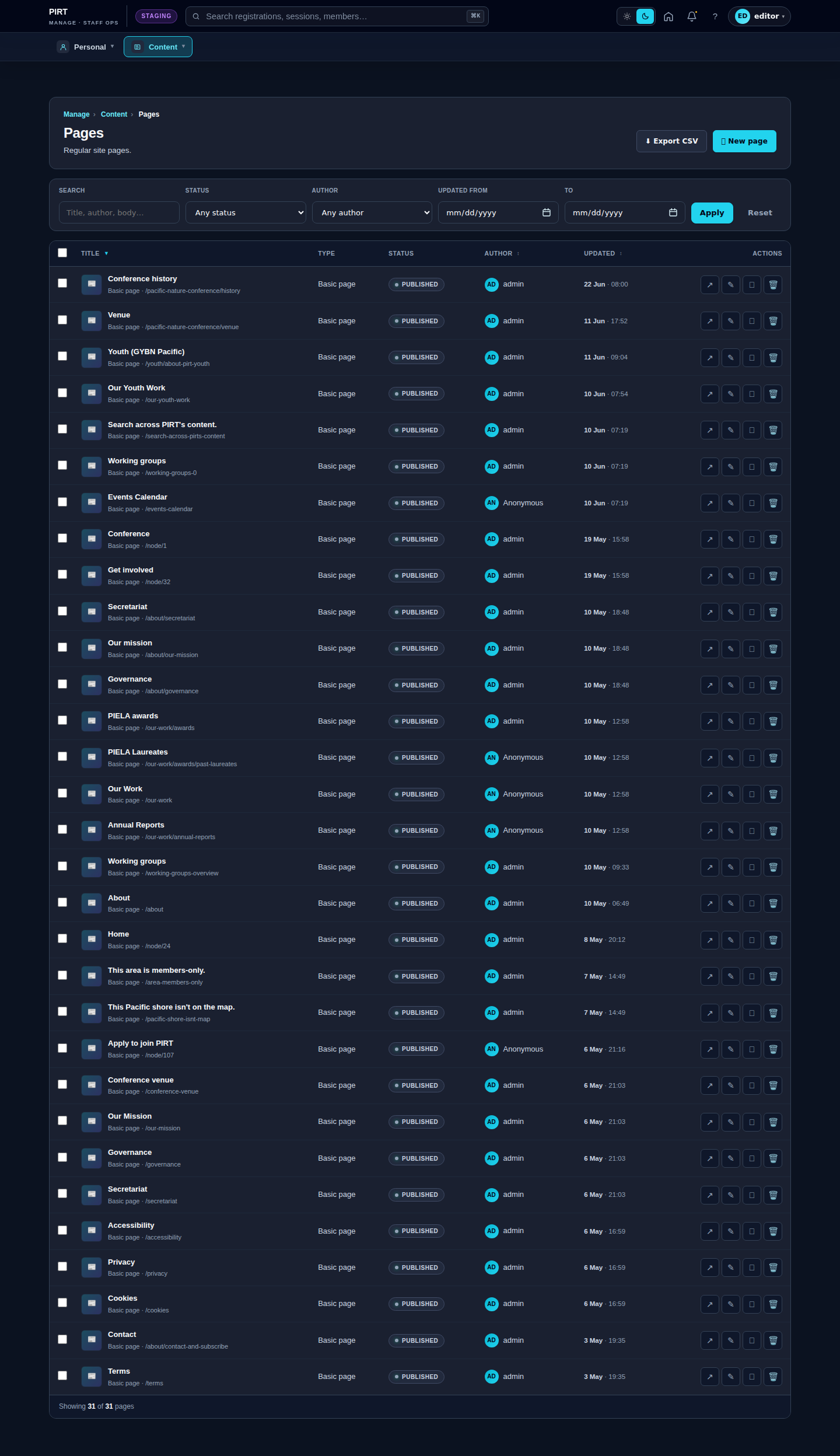
Manager