Managing News
Roles: Editor, ManagerURL:
https://pirt.demo.weebpal.com/manage/content/news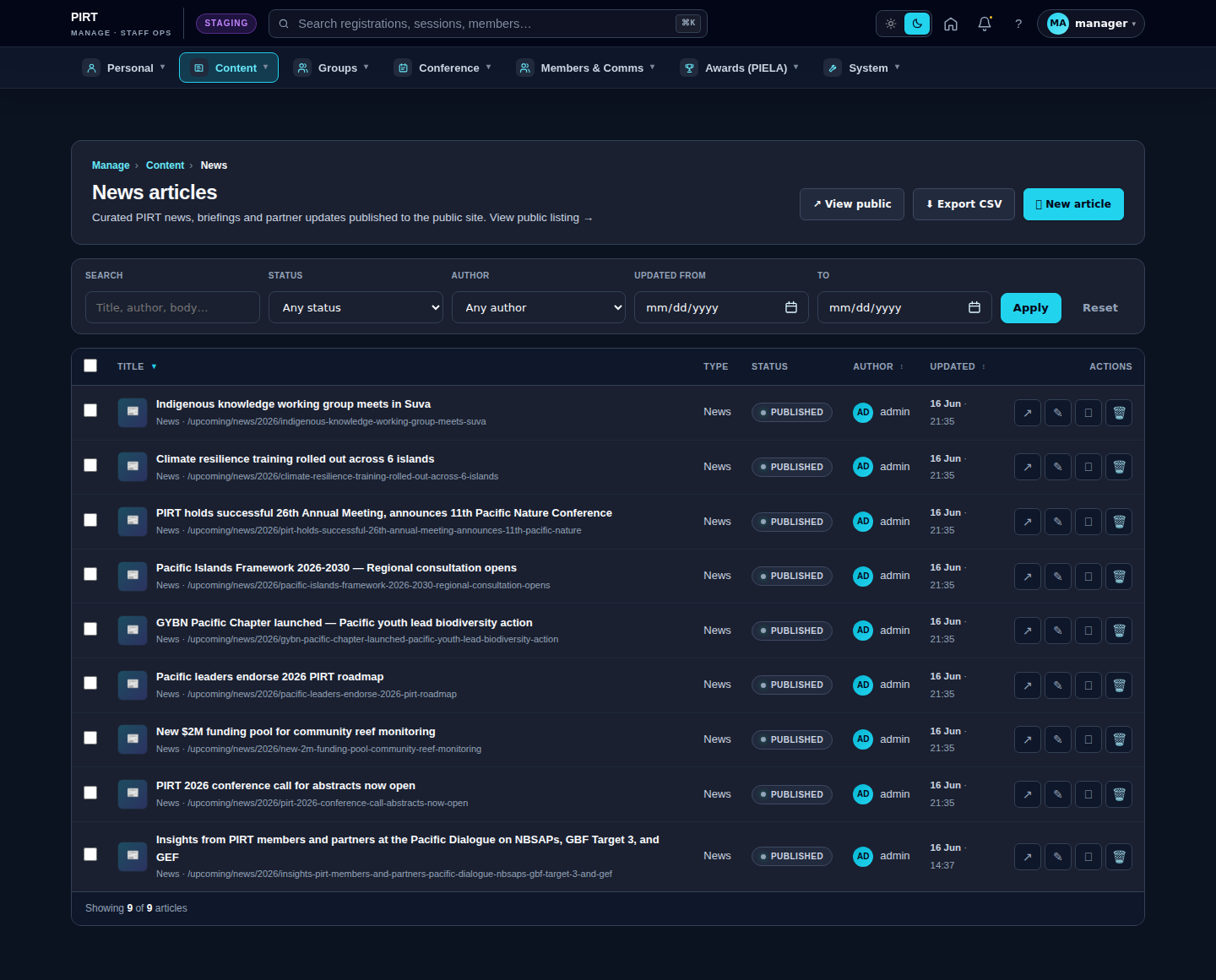
https://pirt.demo.weebpal.com/manage/content/news.Standard workflow
A. Create
- Open
https://pirt.demo.weebpal.com/manage/content/newsinside thehttps://pirt.demo.weebpal.com/manageworkspace. - Click the + Add new button at the top right.
- Fill in the fields (see the table below). Required fields are marked
*. - Click Save as Draft to keep it private, or Save and Publish if you have publish rights (Manager+).
- The system auto-creates a URL alias (Pathauto) and pushes the entry into the search index.
B. Edit
- From the
https://pirt.demo.weebpal.com/manage/content/newslist, use the filters (title, status, category) to find the record. - Click the title — or the Edit action under the Operations column.
- Update the content and click Save. Every save creates a new revision that you can review or roll back from the Revisions tab.
C. Publish / Unpublish
- Editor can only move content to In review (waiting for approval).
- Manager moves content to Published or Archived to remove it from the public site.
- Every status change is written to the activity log.
D. Delete
- Click Delete under the Operations column (Manager+ only).
- Drupal keeps the revision history; hard-delete requires an Administrator.
Fields
| Field | Type | Required? | Editor's note |
|---|---|---|---|
uid (author) |
Reference (user) | Yes | |
status (published flag) |
Boolean | No | |
moderation_state |
String | No | |
title |
Text (255) | Yes | Article headline — up to 255 characters; sentence case. |
body |
Long text + summary | No | Article body — rich text editor; insert images, links, headings. |
field_image |
Image | No | Hero image — 16:9 aspect ratio, minimum 1600×900px. |
field_news_author |
String | No | Public byline (may differ from the signed-in user). |
field_news_category |
Entity reference (taxonomy: news_category) | No | Category — pick from the news_category vocabulary. |
field_read_minutes |
Integer | No | Estimated reading time (auto-calculated if blank). |
field_components |
Paragraph reference (multi) | No | Extra content blocks (quote, gallery, callout, …) — drag and drop. |
field_aside_callouts |
Paragraph reference (multi) | No | Right-side aside boxes (CTA, fact box). |
field_hero_alt |
string (255) | No | Alt text for the hero image — important for accessibility and SEO. |
field_hero_credit |
string (255) | No | Photo credit caption (e.g. "Photo: SPREP / Stuart Chape"). |
House style for news
- Headline: concise, under 70 characters for SEO; avoid SHOUTING IN ALL CAPS.
- Hero image: required; JPG/PNG; under 500 KB after compression.
- Body: short paragraphs (3–5 lines); use H2/H3 to break the article into sections.
- Category: pick exactly one category (create a new term at
https://pirt.demo.weebpal.com/manage/content/termsif none fits).
Approval flow
Editor saves → In review → Manager filters the list by "In review" → reads & Publishes (or sends it back).
How News appears on the public site
Editor vs Manager view
The same screen as each role sees it. Click a row to expand.
Editor
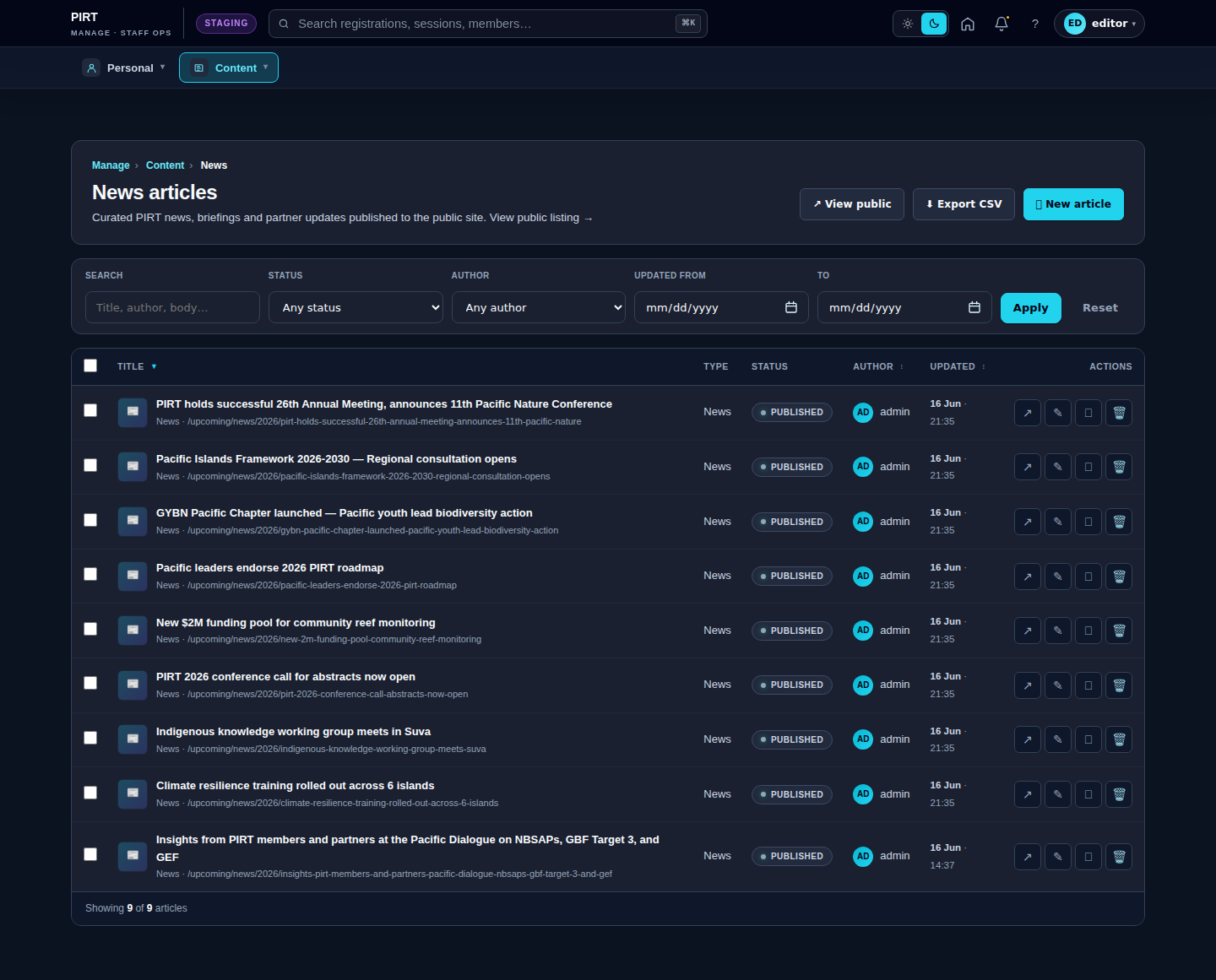
Manager