Getting started — the /manage workspace
Roles: Editor, ManagerURL:
https://pirt.demo.weebpal.com/manage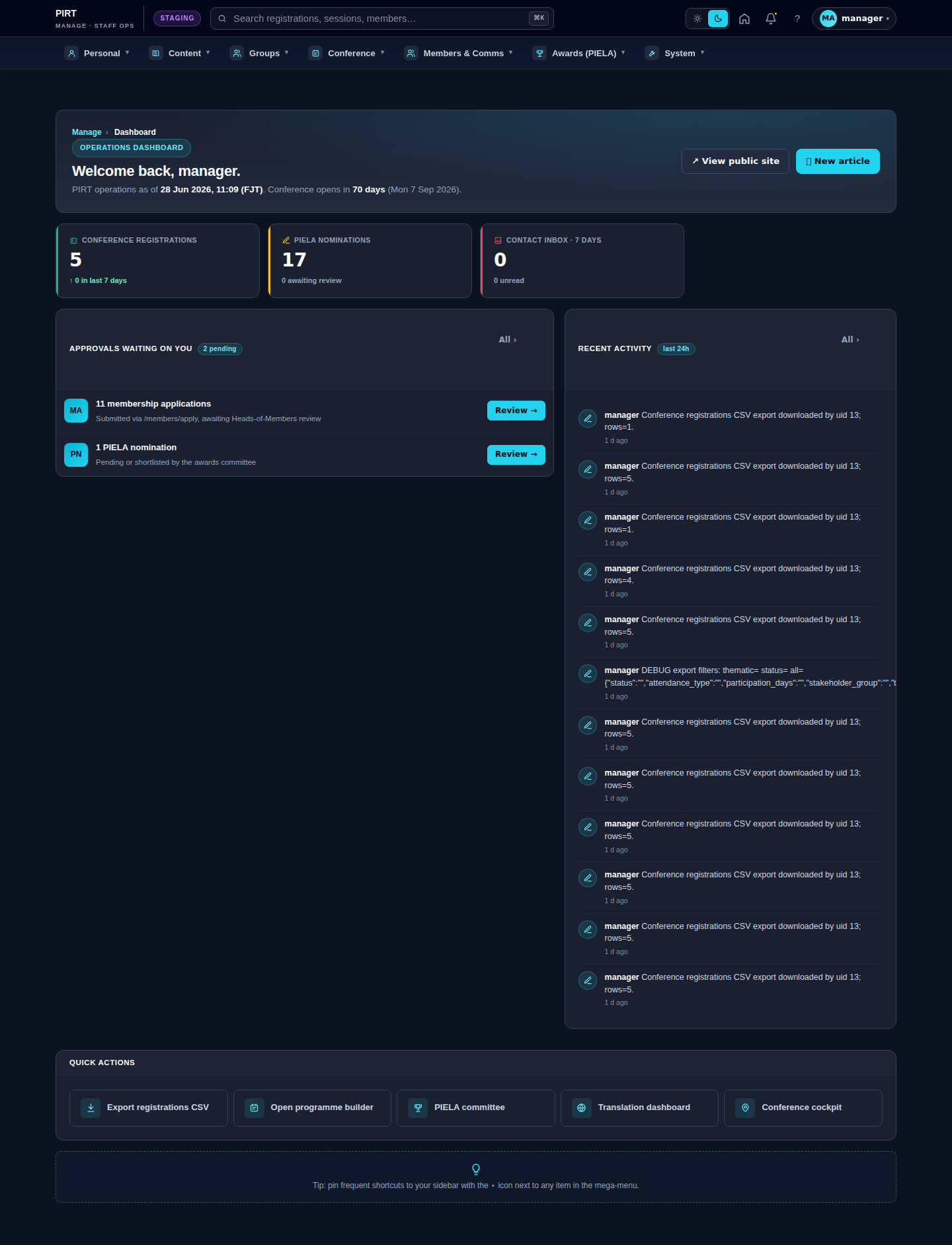
https://pirt.demo.weebpal.com/manage.1. Sign in
- Open
https://pirt.demo.weebpal.com/user/login(demo URL provided by SPREP). - Enter the username and password issued by your administrator.
- After signing in, open
https://pirt.demo.weebpal.com/manage— this is the Operations Dashboard.
2. Workspace layout
The https://pirt.demo.weebpal.com/manage workspace has:
- Topbar (top of the page): PIRT logo · mega-menu button · search box · user avatar.
- Mega-menu (click the button in the middle of the topbar): seven columns — Personal · Editorial · Conference · Awards · Members & Comms · System · Settings.
- Main area (page body): a dashboard, a list, or an edit form depending on the page.
3. Three roles
| Role | Can do | Cannot |
|---|---|---|
| Editor | Create / edit / translate content (News, Events, Pages, …). | Publish, manage users, change system settings. |
| Manager | Editor + approve / publish + manage taxonomy/menu/media + conference + member approvals + reports. | Install modules, switch themes, change Drupal core settings. |
| Administrator | Full power (super-user). | — (use in emergencies / IT only). |
For day-to-day work, Editors create content and Managers approve and publish it.
4. Conventions used in this guide
- Paths shown as
codeare URLs inside thehttps://pirt.demo.weebpal.com/manageworkspace. - Steps are numbered 1, 2, 3 — follow in order.
- "Fields" tables list every editable field, with flags for "Required" and "Translatable (FR)".
- Every chapter starts with a hero screenshot and ends with a full gallery showing the page as it appears to each of the three staff roles (Editor / Manager / Administrator).
5. Quick-jump map
| What you need to do | Go here |
|---|---|
| Write a news article | https://pirt.demo.weebpal.com/manage/content/news |
| Edit the About page | https://pirt.demo.weebpal.com/manage/content/pages |
| Configure the conference | https://pirt.demo.weebpal.com/manage/conference/settings |
| Schedule conference sessions | https://pirt.demo.weebpal.com/manage/conference/programme |
| Approve conference registrations | https://pirt.demo.weebpal.com/manage/conference/registrations |
| Approve new members | https://pirt.demo.weebpal.com/manage/members/approvals |
| Reply to contact-form messages | https://pirt.demo.weebpal.com/manage/comms/inbox |
| Translate content into French | https://pirt.demo.weebpal.com/manage/content/translations |
Editor vs Manager view
The same screen as each role sees it. Click a row to expand.
Editor
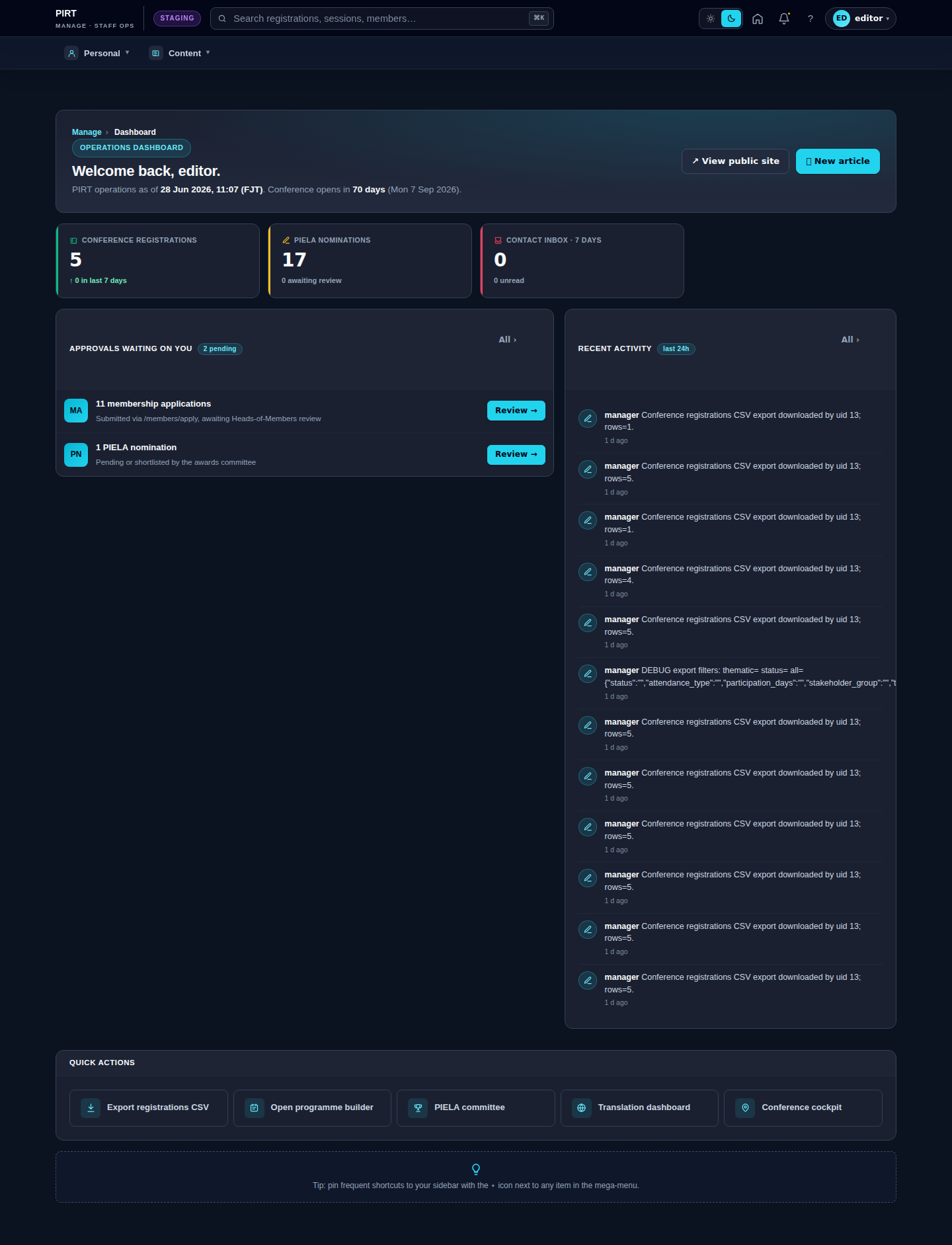
Manager