Managing Funding opportunities
Roles: Manager (Editor: view)URL:
https://pirt.demo.weebpal.com/manage/content/funding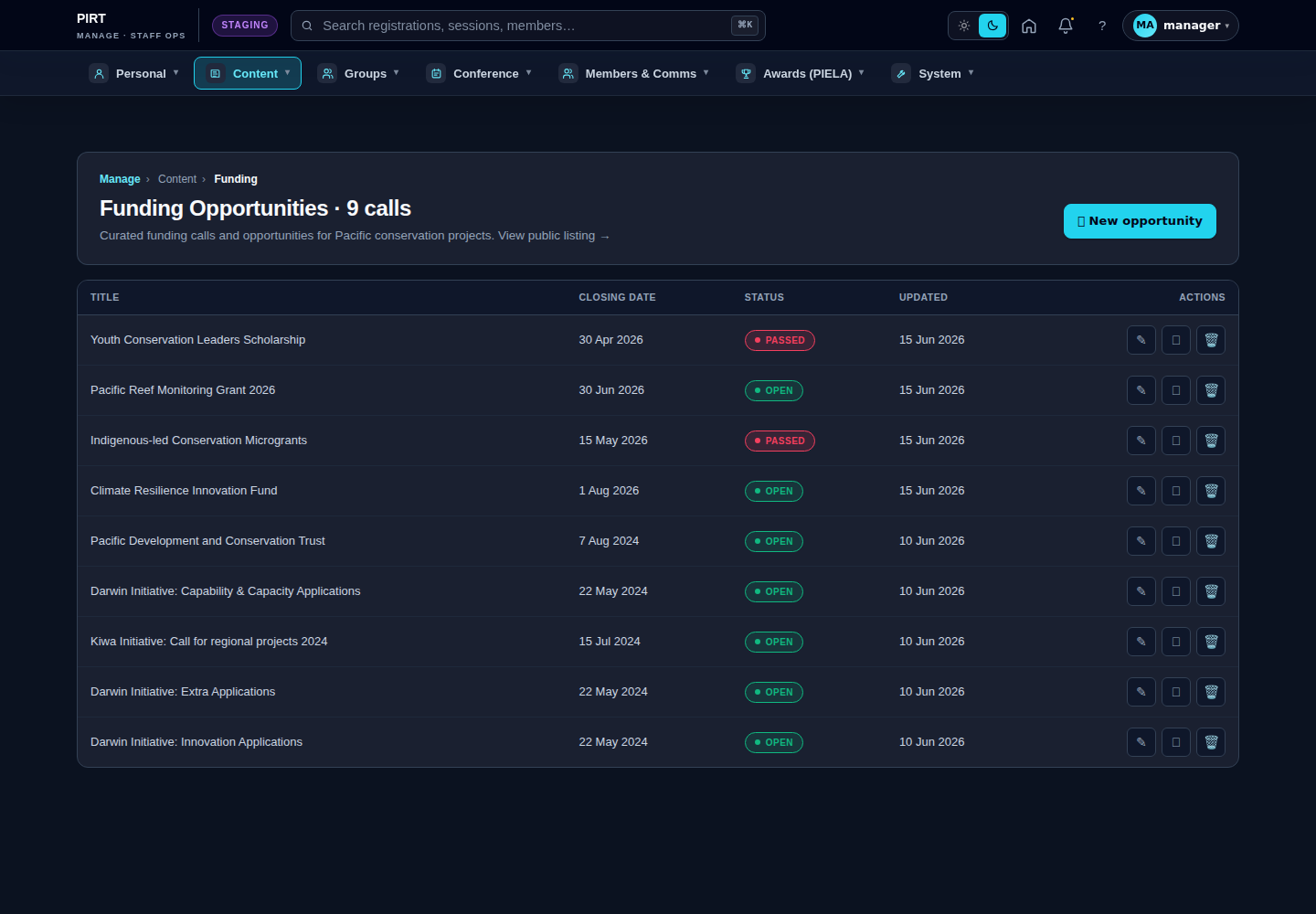
https://pirt.demo.weebpal.com/manage/content/funding.Standard workflow
A. Create
- Open
https://pirt.demo.weebpal.com/manage/content/fundinginside thehttps://pirt.demo.weebpal.com/manageworkspace. - Click the + Add new button at the top right.
- Fill in the fields (see the table below). Required fields are marked
*. - Click Save as Draft to keep it private, or Save and Publish if you have publish rights (Manager+).
- The system auto-creates a URL alias (Pathauto) and pushes the entry into the search index.
B. Edit
- From the
https://pirt.demo.weebpal.com/manage/content/fundinglist, use the filters (title, status, category) to find the record. - Click the title — or the Edit action under the Operations column.
- Update the content and click Save. Every save creates a new revision that you can review or roll back from the Revisions tab.
C. Publish / Unpublish
- Editor can only move content to In review (waiting for approval).
- Manager moves content to Published or Archived to remove it from the public site.
- Every status change is written to the activity log.
D. Delete
- Click Delete under the Operations column (Manager+ only).
- Drupal keeps the revision history; hard-delete requires an Administrator.
Fields
| Field | Type | Required? | Editor's note |
|---|---|---|---|
uid (author) |
Reference (user) | Yes | |
status (published flag) |
Boolean | No | |
moderation_state |
String | No | |
title |
Text (255) | Yes | Funding call title (shown on the listing card and detail page). |
body |
Long text + summary | No | Rich-text description shown on the detail and (summary) on the listing card. |
field_funding_status |
List (text) | No | Allowed values: open · closing_soon · closed · coming_soon · draft. Drives the listing badge and the manage-sidebar radio. |
field_funding_amount |
Text (64) | No | Display string, e.g. £600k – £3.0m. Free-form because amounts span ranges, currencies and rolling windows. |
field_application_deadline |
Datetime | No | Renders as the "Closes …" badge. closing_soon auto-flags within 14 days of this date. |
field_deadline_timezone |
List (text) | No | One of Pacific/Auckland, Pacific/Fiji, Pacific/Tahiti, Pacific/Noumea, UTC. Pair with field_application_deadline so the deadline renders at the correct local time. |
field_funding_apply_url |
Link | No | External application URL (Apply CTA target). |
field_funding_category |
Entity reference (taxonomy: funding_category, multi) |
No | Drives category facets on the public listing. |
field_image |
Image | No | Banner image for hero / detail page. |
Full field reference: funding_opportunity.md.
House style
- Status workflow: start as
draft, flip toopenwhen the call goes live, the system auto-marksclosing_soonwithin 14 days of the deadline, then flip toclosedafter the deadline passes. (coming_soonis optional pre-announcement state.) - Deadline + timezone: always set both. A deadline without a timezone may render at the wrong local time for Pacific applicants.
- Apply link: prefer an internal webform; if external, check the link is alive every quarter.
- After closing: keep the record (status =
closed) for historical reference; don't delete. Closed entries stay visible in the manage list for editors but drop off the public listing.
Editor vs Manager view
The same screen as each role sees it. Click a row to expand.
Editor
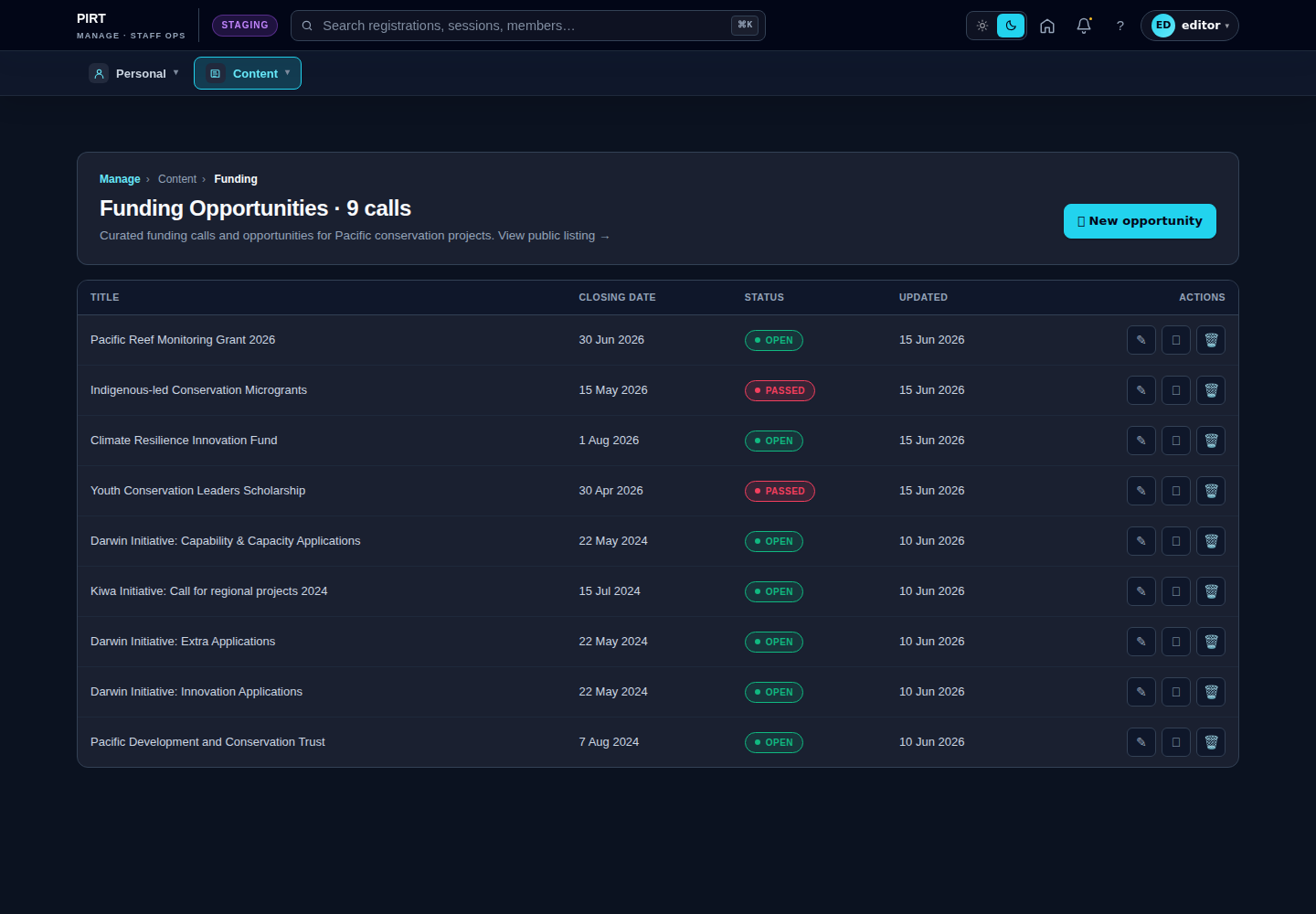
Manager