Operations dashboard
Roles: Editor, ManagerURL:
https://pirt.demo.weebpal.com/manage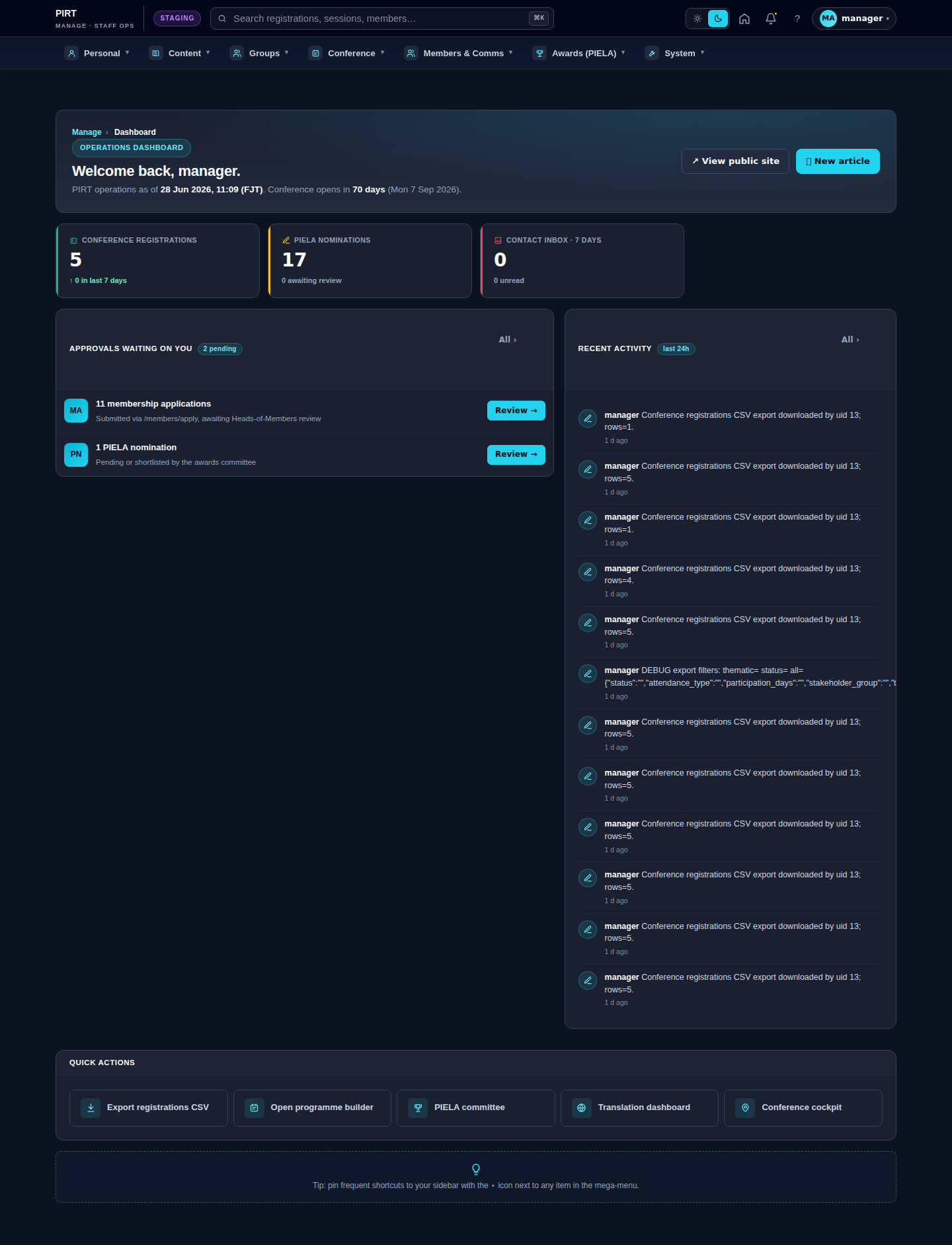
https://pirt.demo.weebpal.com/manage.What's on the dashboard
- KPI cards (4–6 tiles): news articles this month · upcoming events · conference registrations pending review · unanswered contact messages · most-downloaded documents.
- Queues: 5 newest contact messages · 5 newest registrations · 5 oldest PIELA nominations awaiting scoring.
- Recent activity: last 10 actions (who edited what, when).
- Alerts: cron failures · stale backups · media storage near capacity (Manager+ only).
A typical day
- Open
https://pirt.demo.weebpal.com/manage→ glance at the KPIs → scroll to "Recent activity" to catch up. - If there are unanswered messages, click into the queue → open
https://pirt.demo.weebpal.com/manage/comms/inbox. - If there are new registrations, click into the queue → open
https://pirt.demo.weebpal.com/manage/conference/registrations. - Use the top mega-menu to move on to other tasks (News, Events, Programme, …).
Tips
- Bookmark
https://pirt.demo.weebpal.com/manage— it is the only URL you need to remember. - KPI numbers are realtime (not cached for the signed-in user).
- If the "Stale backup" tile turns red, tell IT — do not try to fix it yourself.
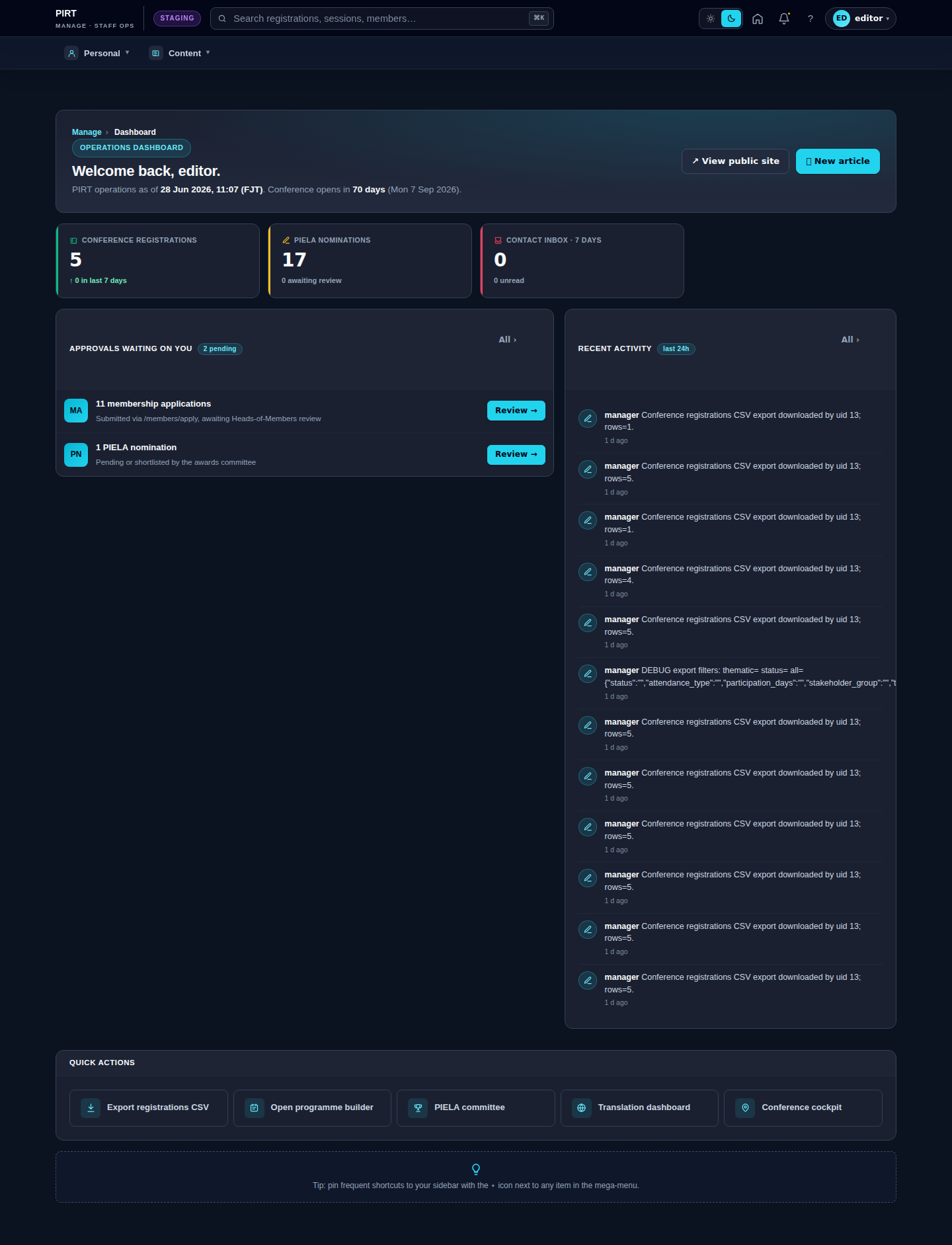
Editor vs Manager view
The same screen as each role sees it. Click a row to expand.
Editor
Manager